bigvu

Workflow comparison

Choosing between bigvu vs descript for your videos

Start with the work you do most often. Bigvu is a natural candidate when your process begins with speaking to a camera and following a script; Descript is a natural candidate when you expect to reshape recorded material by editing its transcript. Neither choice removes the need to check your final video.

Video creator preparing a recorded presentation

Capability matrix

Read the rows as decisions to test, not a promise that either product includes every feature on every device or plan.

Recording versus revision

Bigvu's teleprompter-oriented approach can help a presenter deliver a prepared message. It is not a substitute for reviewing the substance, pacing, and accuracy of what was said. Descript's transcript-oriented editing helps reorganize existing speech, but a text edit still needs a listen-and-watch pass.

WorkaroundRecord the same 45-second script, revise one sentence, and compare how much work each route takes.

A transcript is not the whole video

Descript makes spoken words a useful editing surface, but visual cuts, expressions, pauses, and supporting footage still affect the result. Bigvu can support a more deliberate on-camera take, yet a well-read script can still sound stiff.

WorkaroundWatch the finished clip with the transcript hidden and note every awkward cut or unnatural delivery.

Access and exports require checking

Do not infer current export options, watermarks, recording limits, or collaboration access from this comparison. These can depend on the product's present plan, platform, and settings, and they may change.

WorkaroundCheck each provider's current documentation and export a short test before committing a production project.

Neither tool approves your claims

Captions, edited speech, and polished delivery can make an error look more credible. The person publishing the video remains responsible for names, figures, permissions, and context.

WorkaroundKeep a source list beside the script and review the final export against it.

Shared pitfalls

Whichever editor you favor, a small test prevents the most expensive mistakes from reaching the final cut.

Choose one representative clip

Use footage that resembles your normal work, not a perfect demo. Include at least one stumble, one sentence you want to change, and one visual cut. A Bigvu recording test and a Descript editing test become more meaningful when both face the same material.

Check the words and the delivery

Read the script aloud before recording, then verify any generated transcript against what was actually said. Neither a smooth teleprompter take nor an easy text edit guarantees a natural-sounding result. Listen for clipped endings and pauses that disappeared.

Inspect the exported result

Review captions, framing, audio transitions, and the opening seconds on the device where viewers will watch. Save the exact test settings you used. This catches issues that an editing preview may not reveal and makes the next comparison reproducible.

Our tradeoff

Think in terms of where effort belongs: before the camera rolls or after the footage exists.

Script-led recording

Presenter recording a vertical talking-head video
Hands working on a video transcript during editing
Transcript-led revision

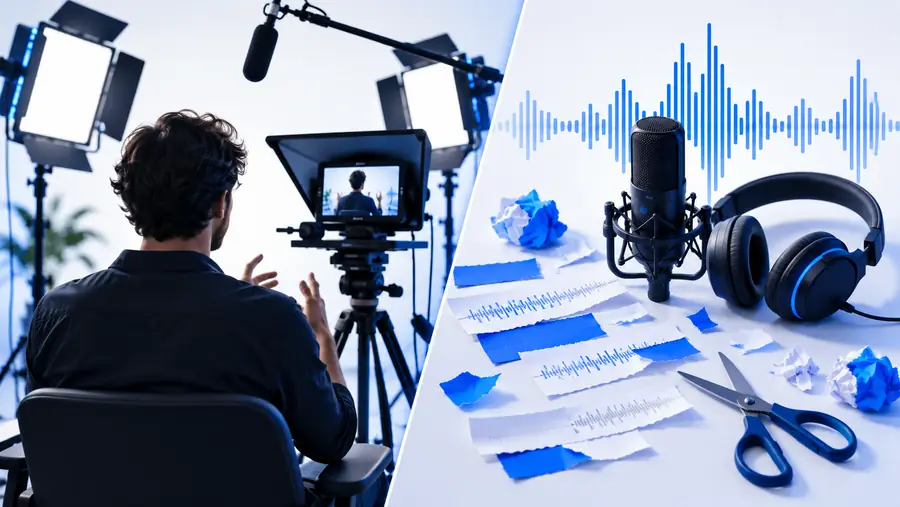
These images illustrate two workflows, not a measured before-and-after result. Favor Bigvu if better delivery during capture solves your recurring problem; favor Descript if reorganizing recorded speech is the larger job. A team doing both may need to evaluate the two stages separately.

A job title alone cannot choose your editor. Match the kind of footage you produce to the task you repeat every week.

Solo educator

You record short explanations from a prepared outline and want fewer retakes when you lose your place. Test whether Bigvu helps you speak to the camera without making the delivery sound read aloud.

Pick the process that produces a clear first take you are comfortable publishing. For a different short-form editing comparison, see the linked guide.

bigvu vs capcut

Podcast producer

You start with a long interview and need to remove digressions while preserving the speaker's meaning. Put Descript through a transcript-editing test, then listen to each join rather than trusting the text alone.

The useful result is a coherent conversation, not merely a shorter transcript. If access is a deciding factor, review the linked alternatives checklist.

bigvu alternative free

Small business presenter

You film recurring announcements with names, dates, and specific claims. A Bigvu script-led take may help keep details in order, while a Descript pass may help revise the recording later.

Choose based on whether retakes or revisions consume more time. The linked short-video comparison offers another editing-oriented reference point.

bigvu vs capcut

Community organization

Several people contribute clips, and not everyone is comfortable reading on camera. Test a scripted recording with one speaker and transcript-based assembly with another before prescribing a shared process.

Document what each volunteer can repeat reliably. If tool access constrains the decision, consult the linked alternatives checklist without assuming it confirms current plan terms.

bigvu alternative free

Put your next video idea into motion

A comparison is useful only when it helps you make something. Take a short, representative script or recording and try a video workflow you can evaluate from first draft to final watch-through. The destination is a separate service; check its current capabilities and terms there before relying on it for a project.

  • Start with a clip you would actually publish
  • Check spoken claims and visual cuts
  • Judge the exported result, not just the preview

Comparison FAQ

Start with the task that slows you down. Bigvu is worth testing if you need help delivering a prepared script on camera; Descript is worth testing if revising recorded speech is the harder part. Make the same short talking-head clip in each workflow and judge the exported videos.

Not necessarily. Editing words after recording and reading a script while recording solve different problems. If staying on message during a take matters most, test the recording experience rather than assuming transcript editing will remove every retake.

Descript is the more obvious starting point when the job centers on reviewing and rearranging spoken material through a transcript. Still, check every edit by listening and watching: a clean-looking sentence on screen can conceal a jarring audio or visual cut. If you also record scripted introductions, evaluate that stage separately.

A script-led recording stage and a transcript-led editing stage can complement each other. Before building a repeatable process, verify that the files and export settings you need work with your current versions and plans. One short end-to-end test will reveal more than a feature checklist.

Choose one representative clip with a scripted passage and a section that needs revision. Measure your own effort to record, edit, check, and export it, then watch the result on your intended device. The better fit is the workflow your team can repeat while maintaining accuracy and a natural delivery.

Start creating
Start creating